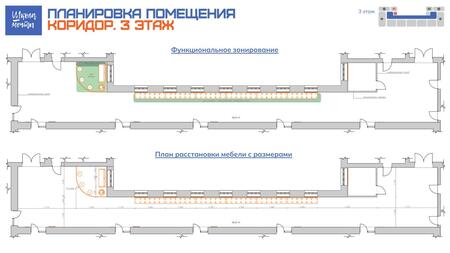
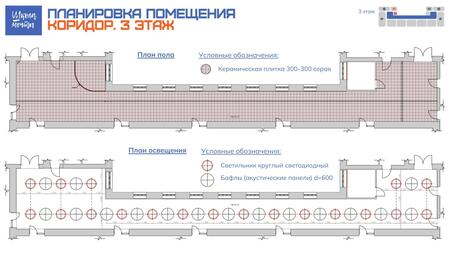
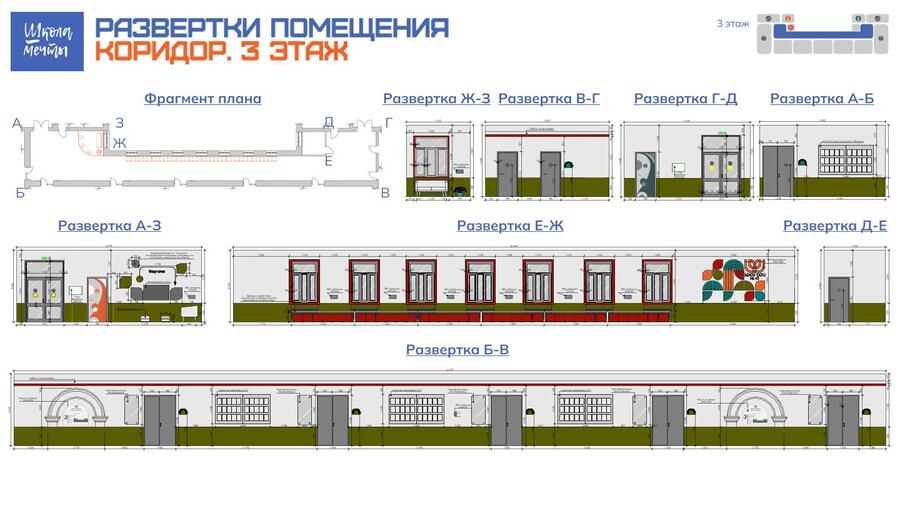
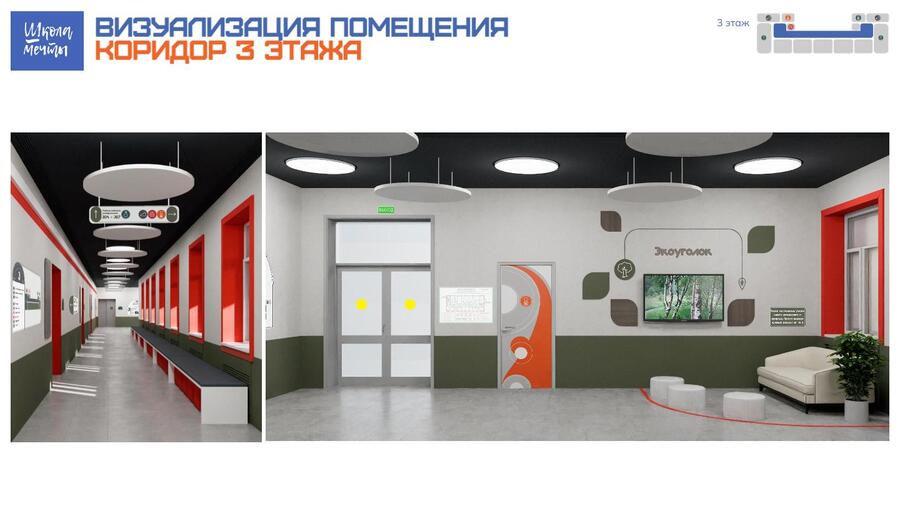
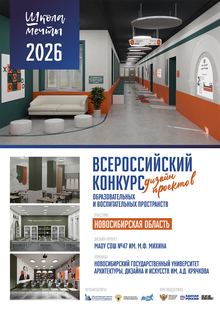
Проект выполнен группой студентов ФГБОУ ВО «Новосибирский государственный университет архитектуры, дизайна и искусств имени А. Д. Крячкова» («НГУАДИ»)
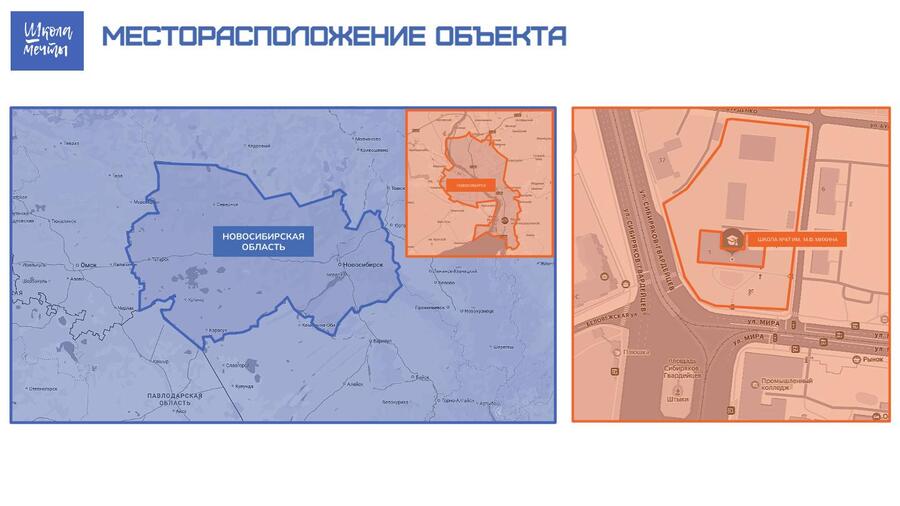
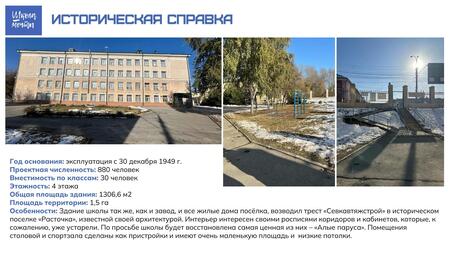
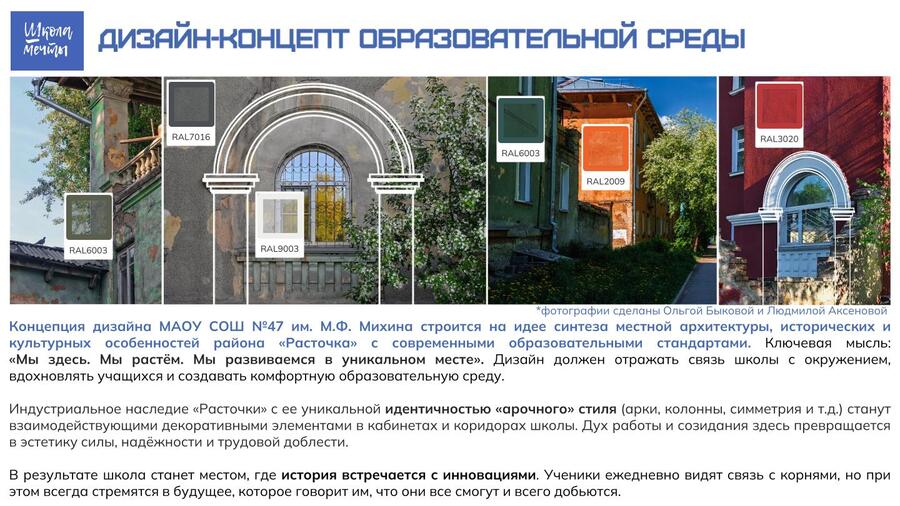
Проектируемый объект — Муниципальное автономное общеобразовательное учреждение города Новосибирска «Средняя общеобразовательная школа № 47 имени Михина Михаила Филипповича»
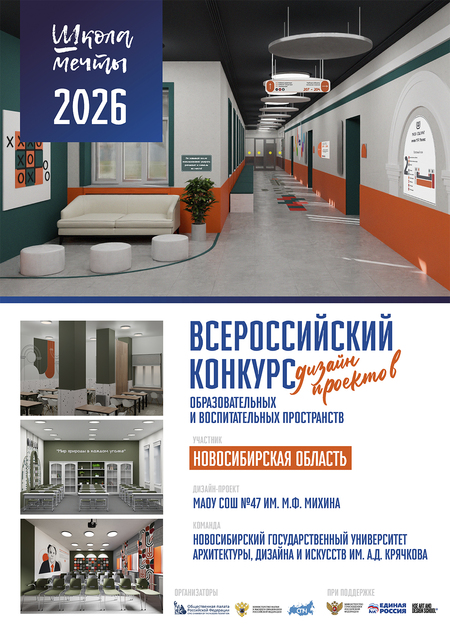
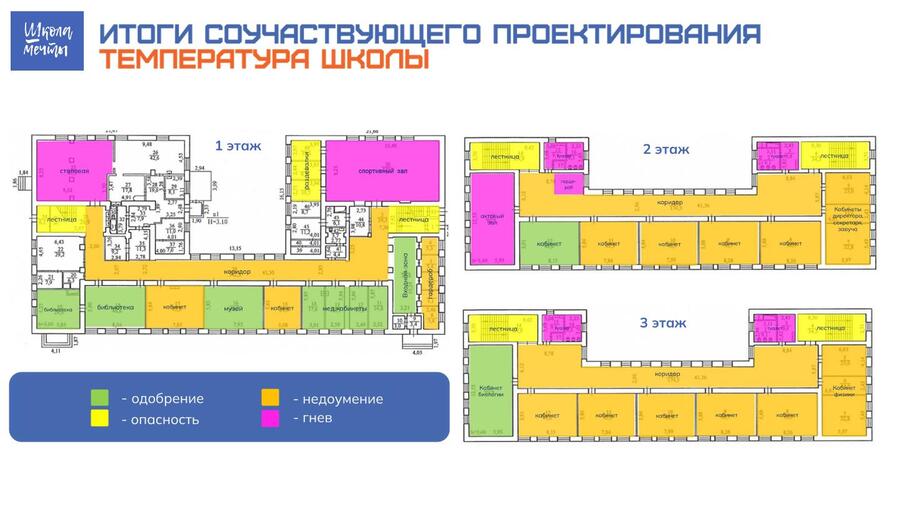
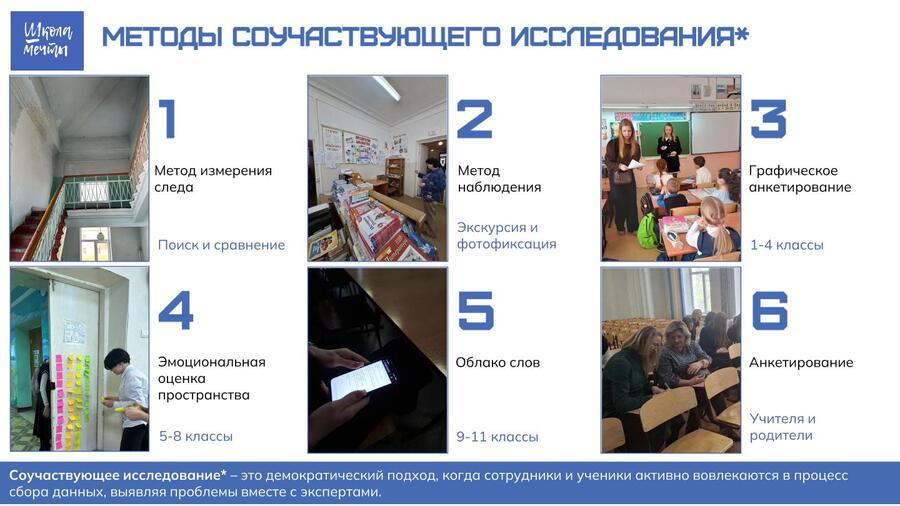
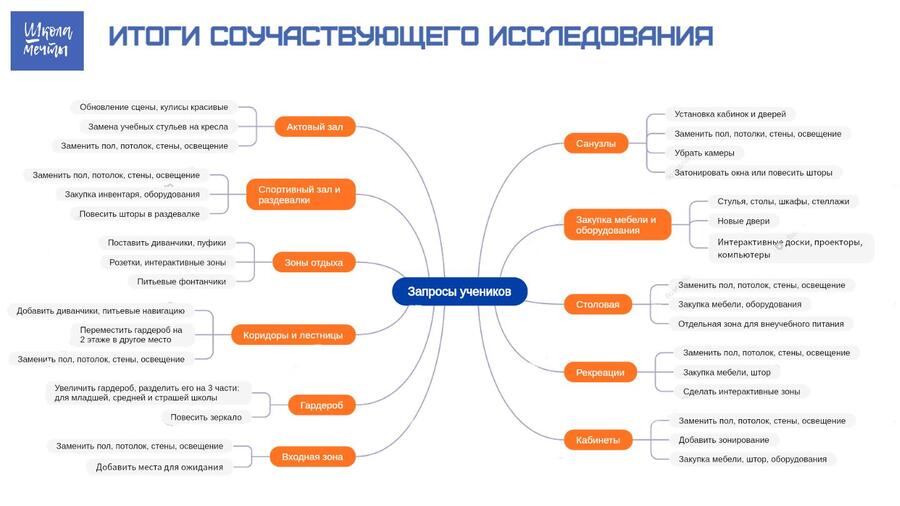
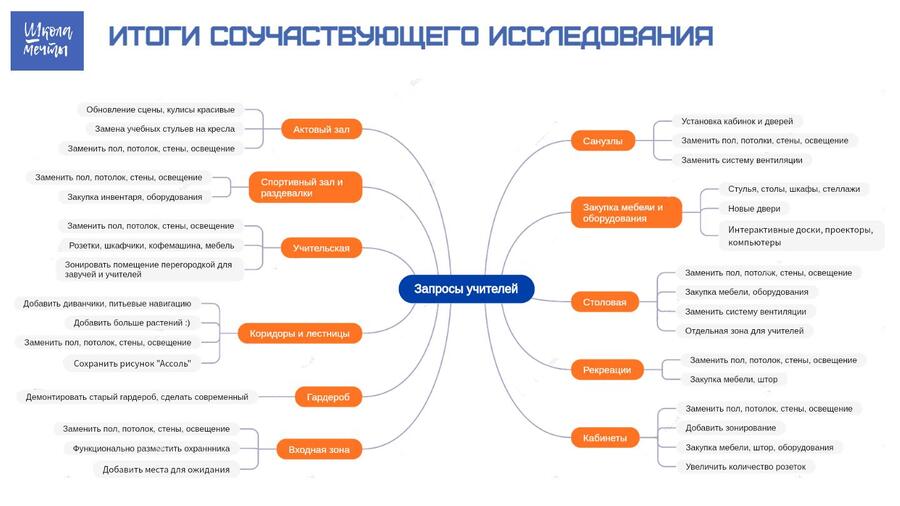
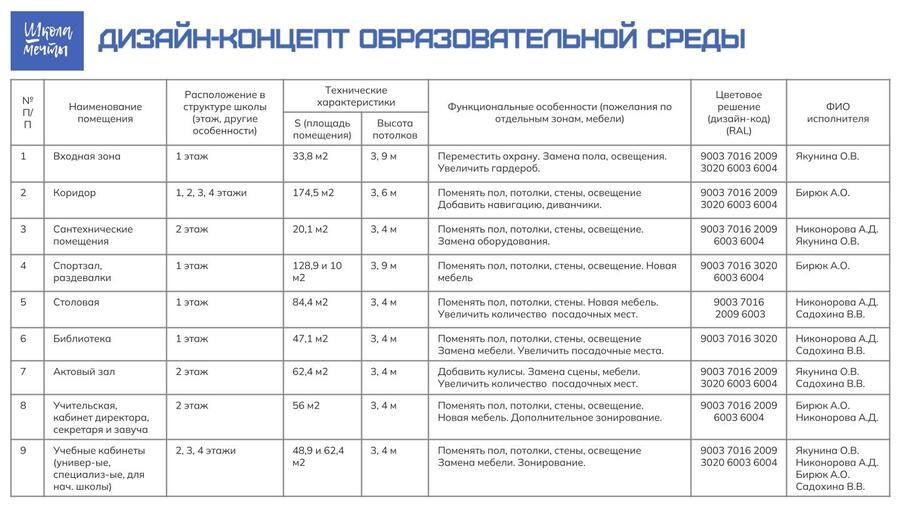
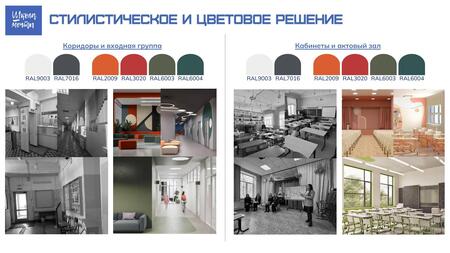
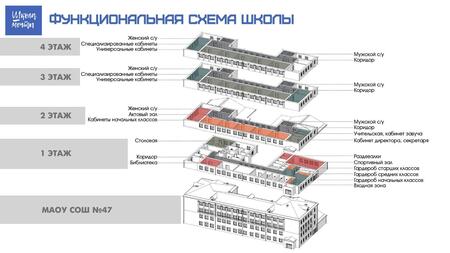
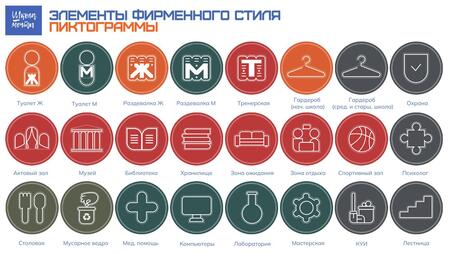
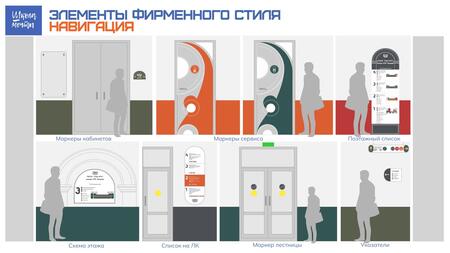
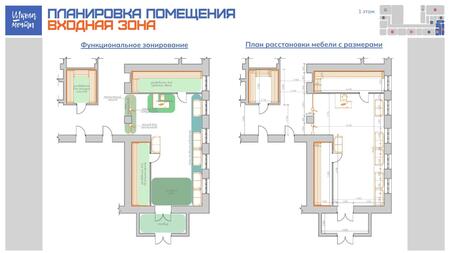
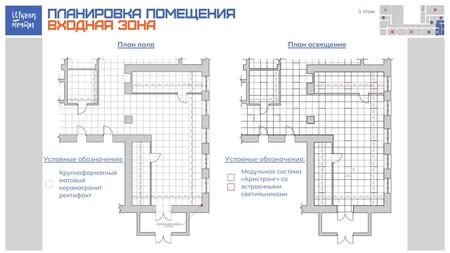
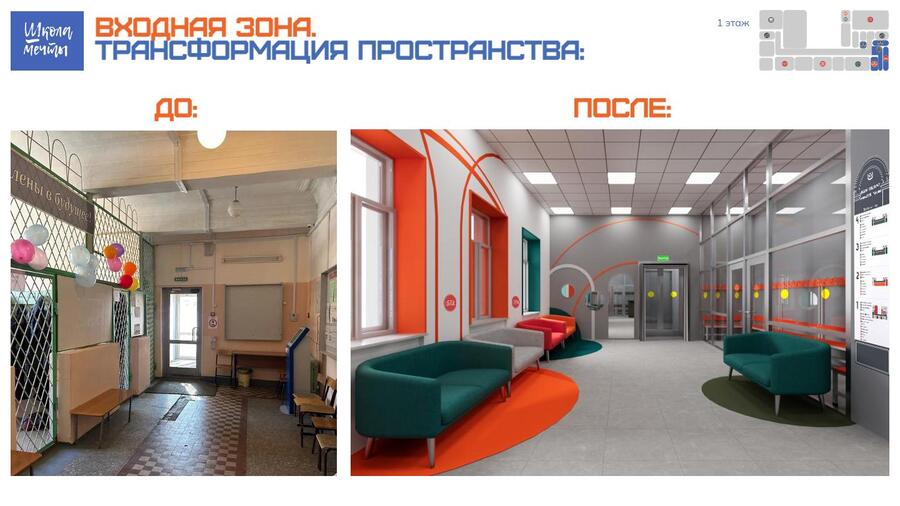
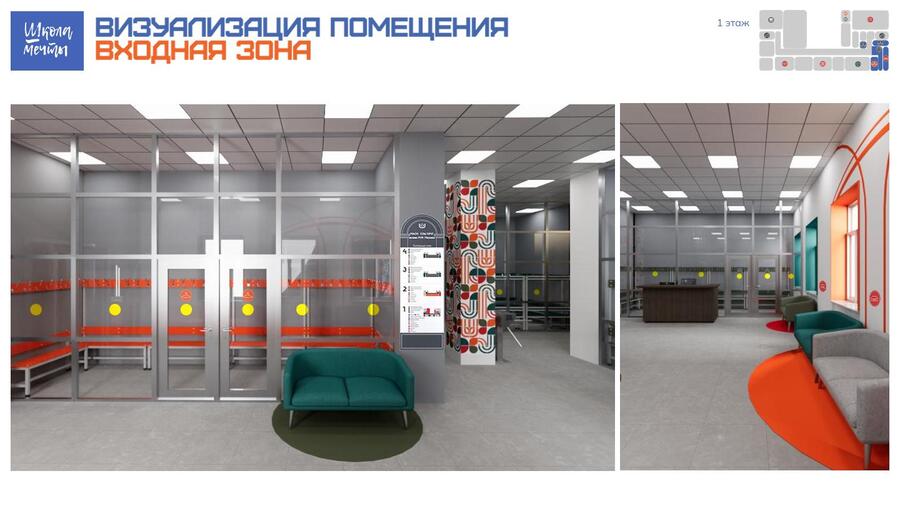
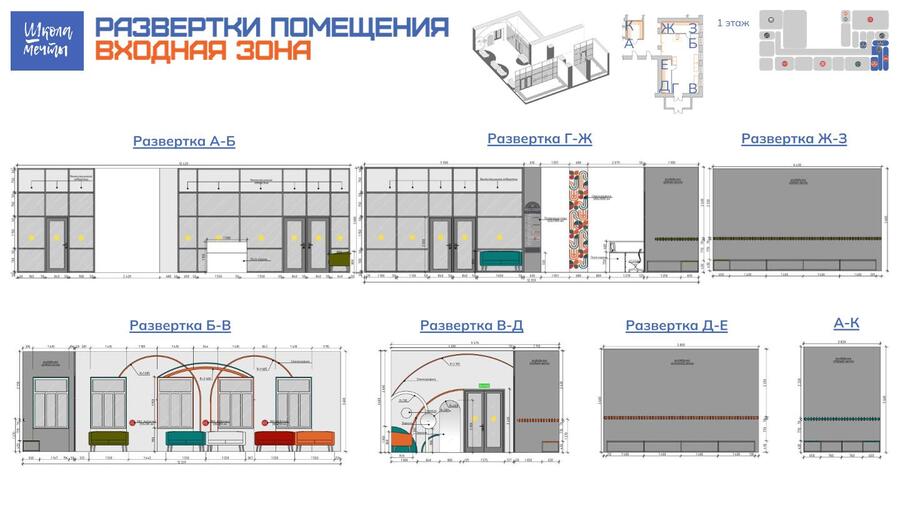
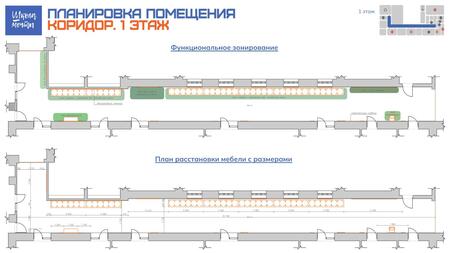
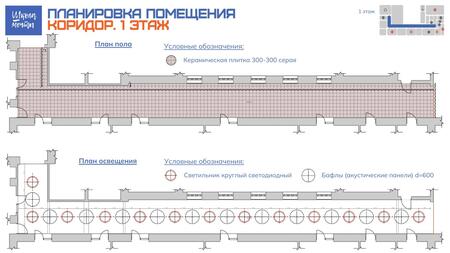
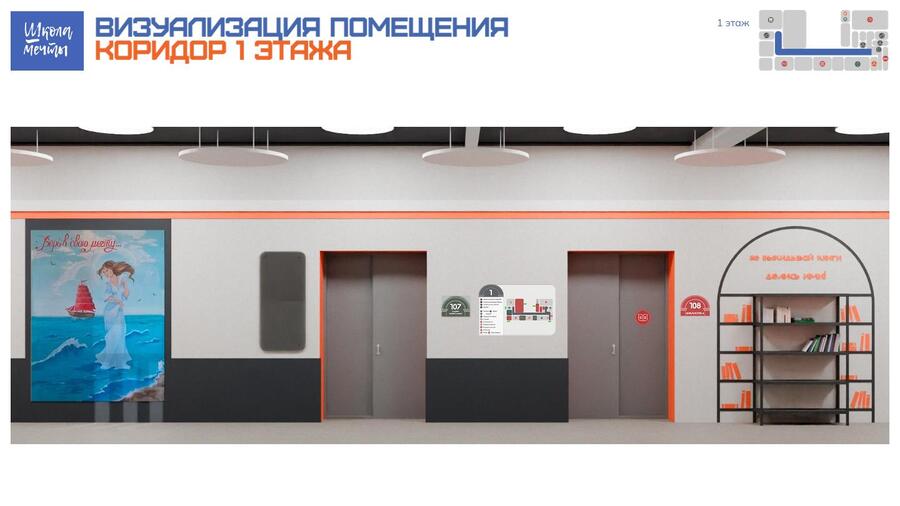
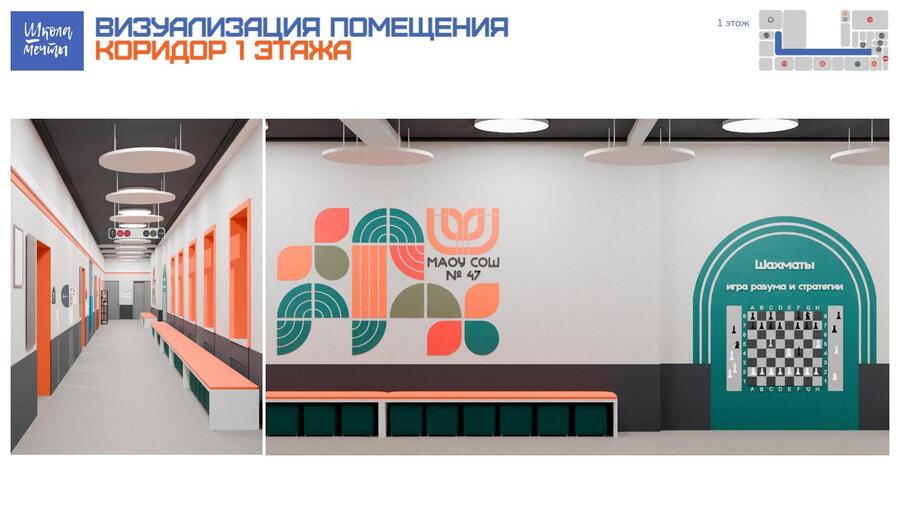
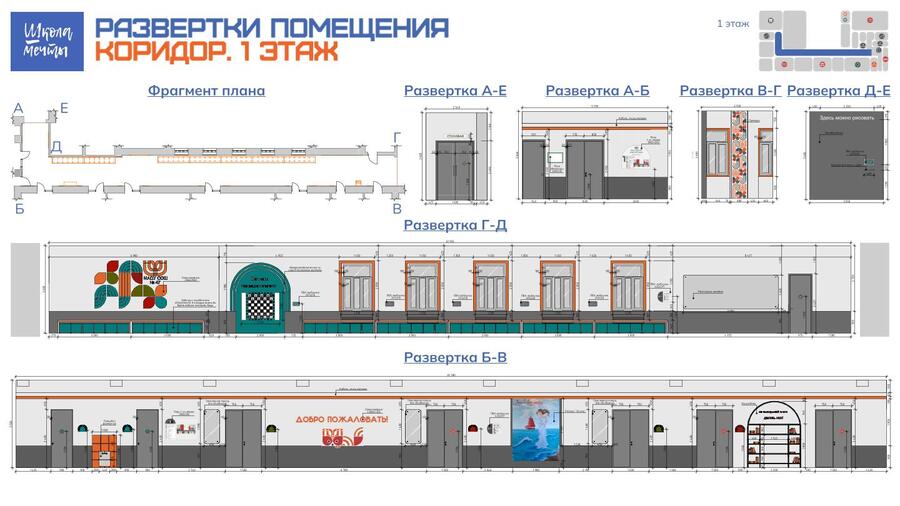
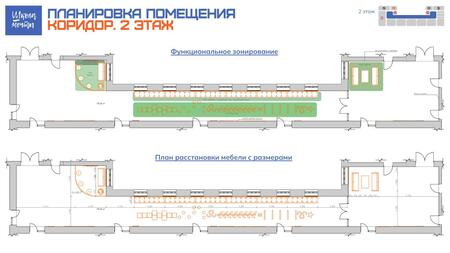
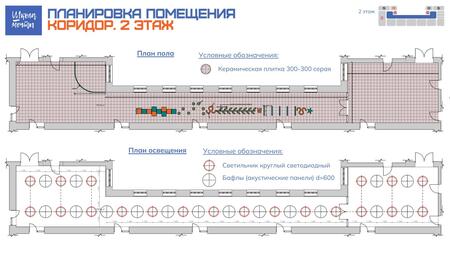
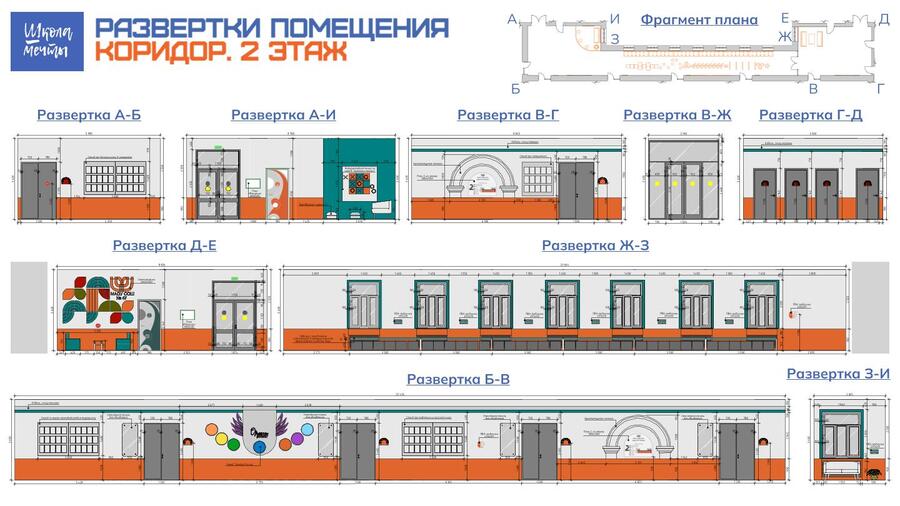
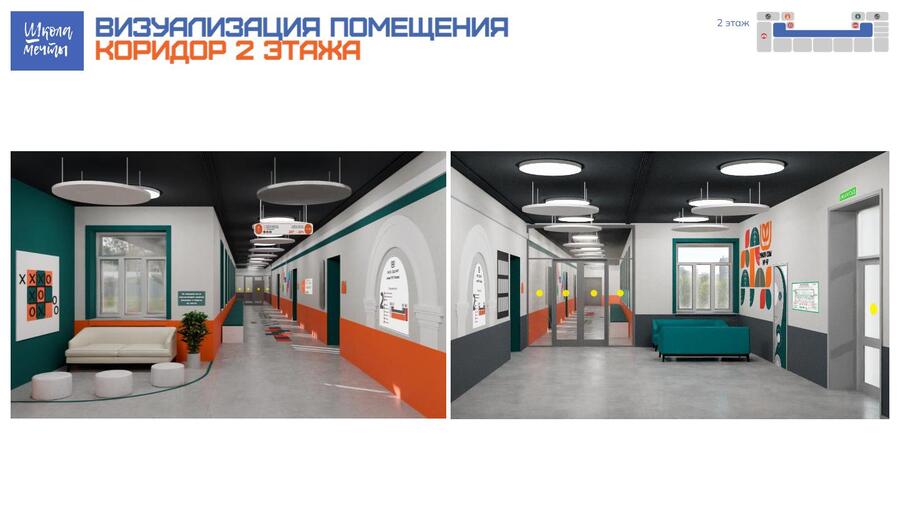
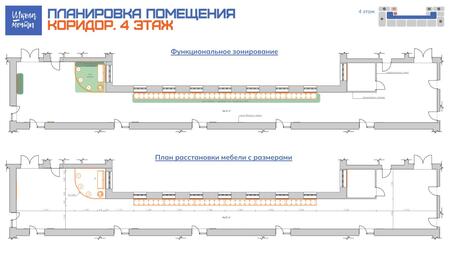
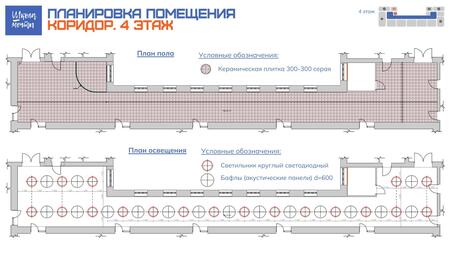
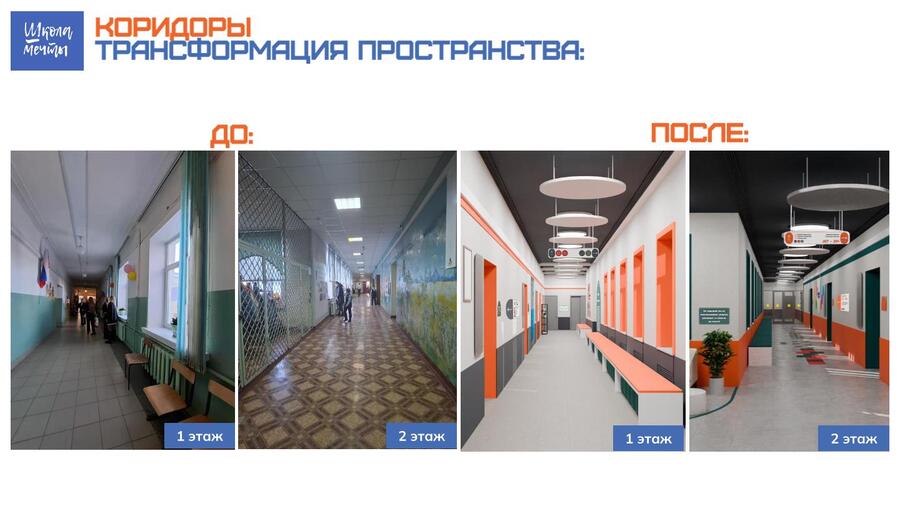
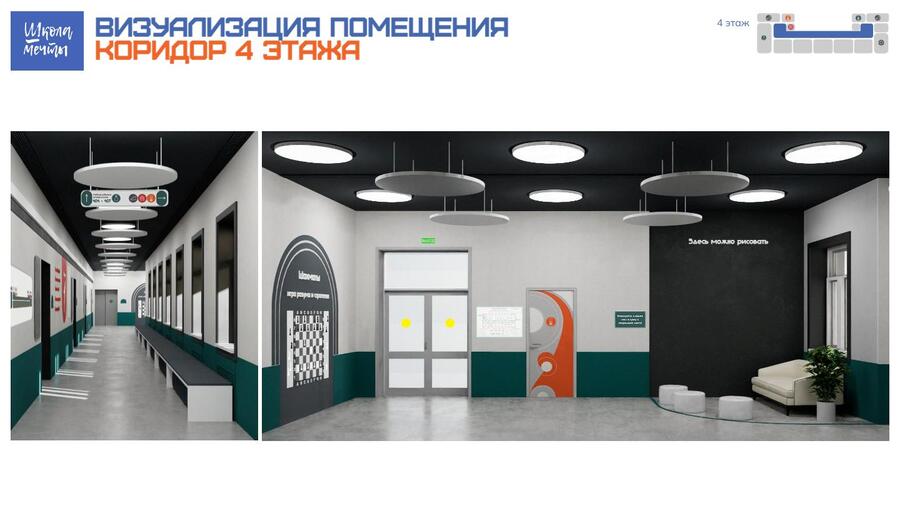
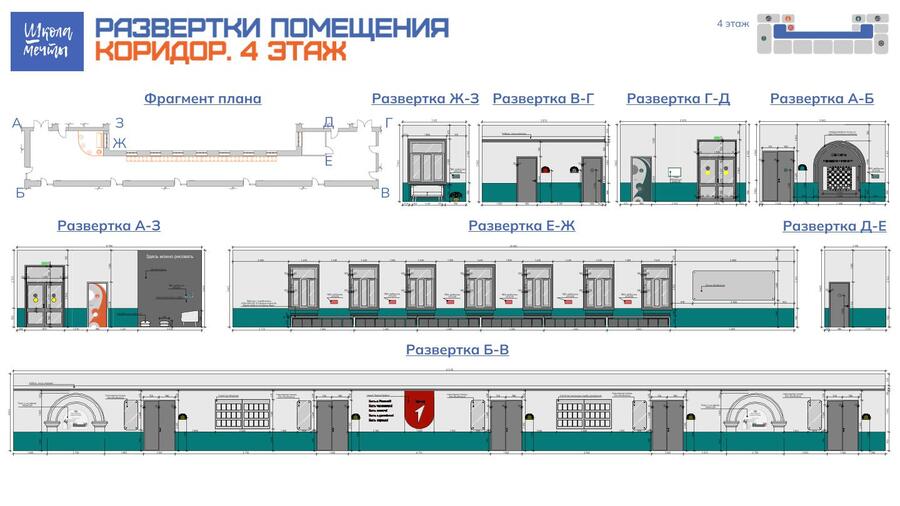
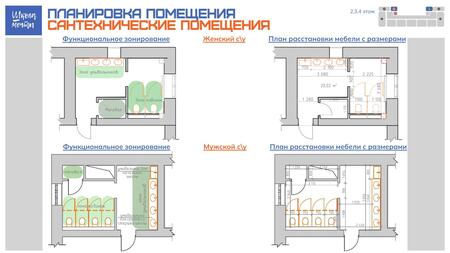
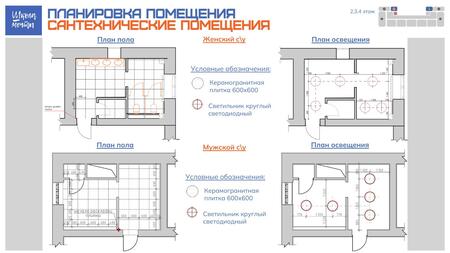
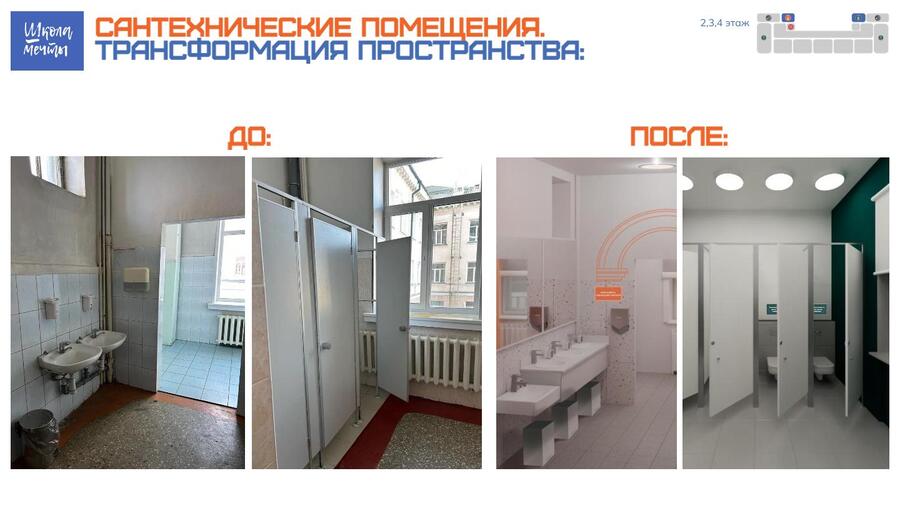
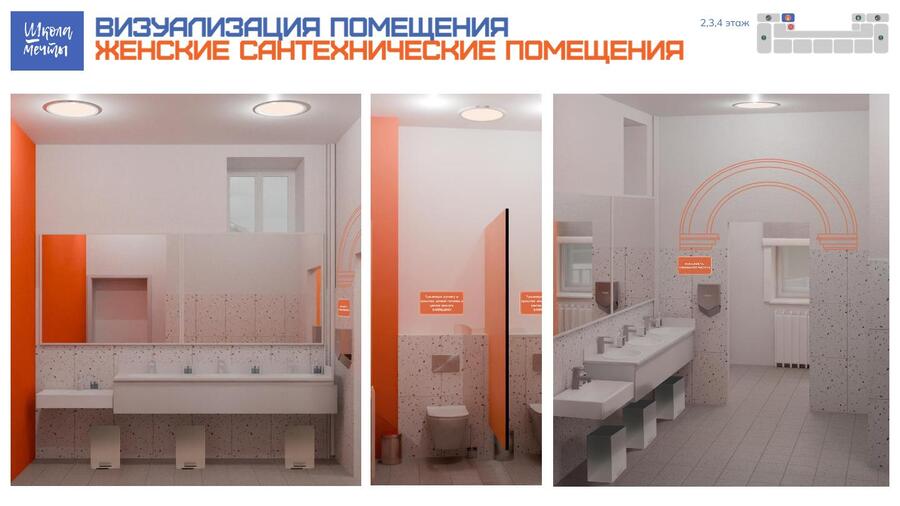
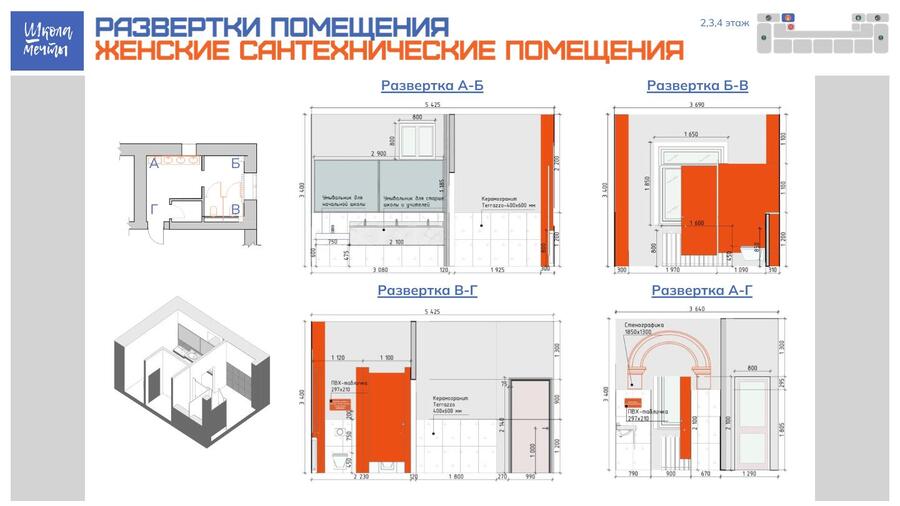
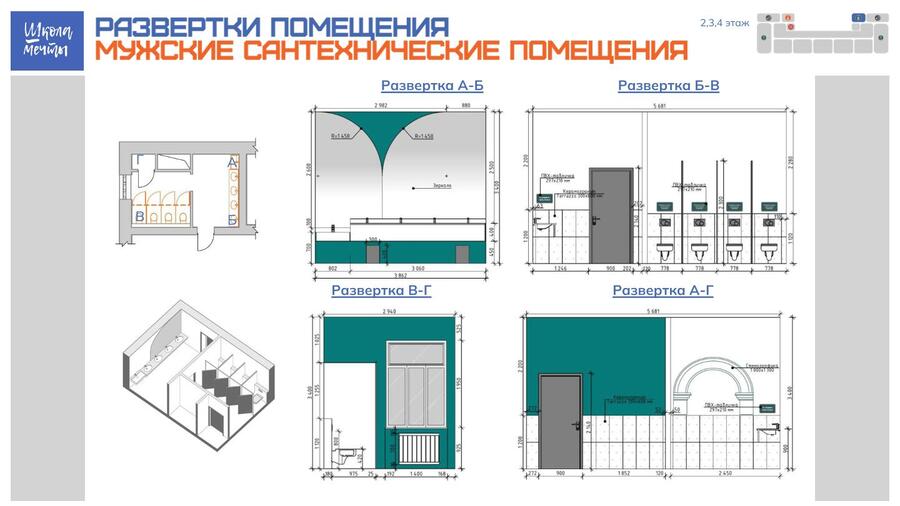
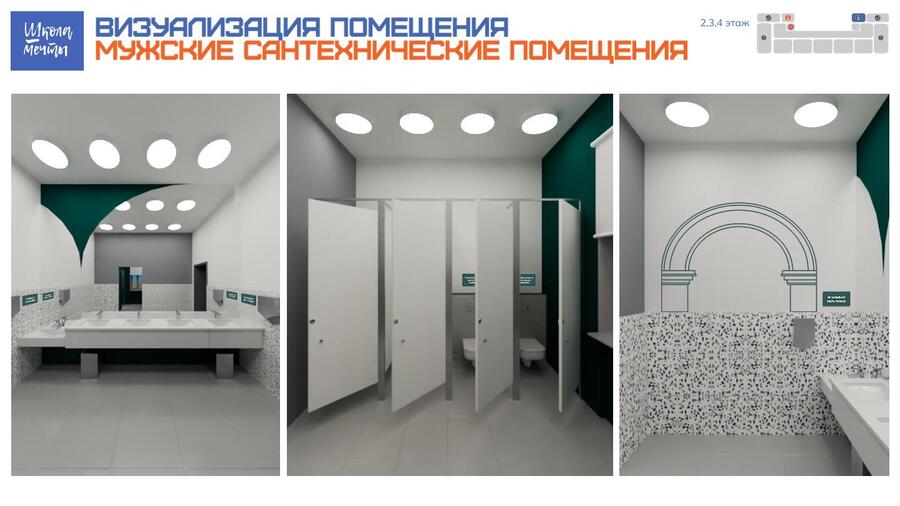
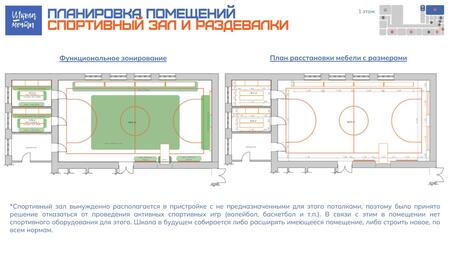
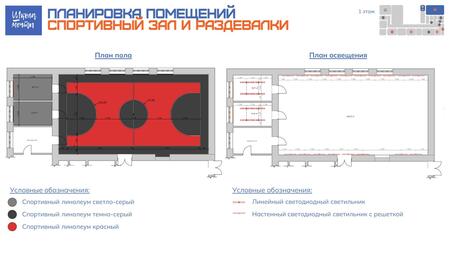
Студенты НГУАДИ создали проект реконструкции МАОУ СОШ № 47 им. М. Ф. Михина в формате образовательного задания. Проект включает подробные решения по всем зонам и помещениям школы, разработанные в рамках учебного курса.
Студенты НГУАДИ создали проект специализированного учебного кабинета для МАОУ СОШ №47 им. М. Ф. Михина. Проект включает детальную планировку и визуализацию помещения с исторической справкой и концепцией.
Валерия Павлова разработала фирменный стиль для МКОУ СОШ № 4, создав визуальный образ школы, отражающий её ценности и особенности. Проект включает систему графических элементов, цветовую гамму и шрифты, адаптированные для использования в различных коммуникационных каналах.
We use cookies to improve the operation of the HSE website and to enhance its usability. More detailed information on the use of cookies can be fou...
Show more
Press space bar to start a drag.
When dragging you can use the arrow keys to move the item around and escape to cancel.
Some screen readers may require you to be in focus mode or to use your pass through key
Press space bar to start a drag.
When dragging you can use the arrow keys to move the item around and escape to cancel.
Some screen readers may require you to be in focus mode or to use your pass through key
Press space bar to start a drag.
When dragging you can use the arrow keys to move the item around and escape to cancel.
Some screen readers may require you to be in focus mode or to use your pass through key
Press space bar to start a drag.
When dragging you can use the arrow keys to move the item around and escape to cancel.
Some screen readers may require you to be in focus mode or to use your pass through key
Press space bar to start a drag.
When dragging you can use the arrow keys to move the item around and escape to cancel.
Some screen readers may require you to be in focus mode or to use your pass through key
Press space bar to start a drag.
When dragging you can use the arrow keys to move the item around and escape to cancel.
Some screen readers may require you to be in focus mode or to use your pass through key
Press space bar to start a drag.
When dragging you can use the arrow keys to move the item around and escape to cancel.
Some screen readers may require you to be in focus mode or to use your pass through key
Press space bar to start a drag.
When dragging you can use the arrow keys to move the item around and escape to cancel.
Some screen readers may require you to be in focus mode or to use your pass through key
Press space bar to start a drag.
When dragging you can use the arrow keys to move the item around and escape to cancel.
Some screen readers may require you to be in focus mode or to use your pass through key
Press space bar to start a drag.
When dragging you can use the arrow keys to move the item around and escape to cancel.
Some screen readers may require you to be in focus mode or to use your pass through key