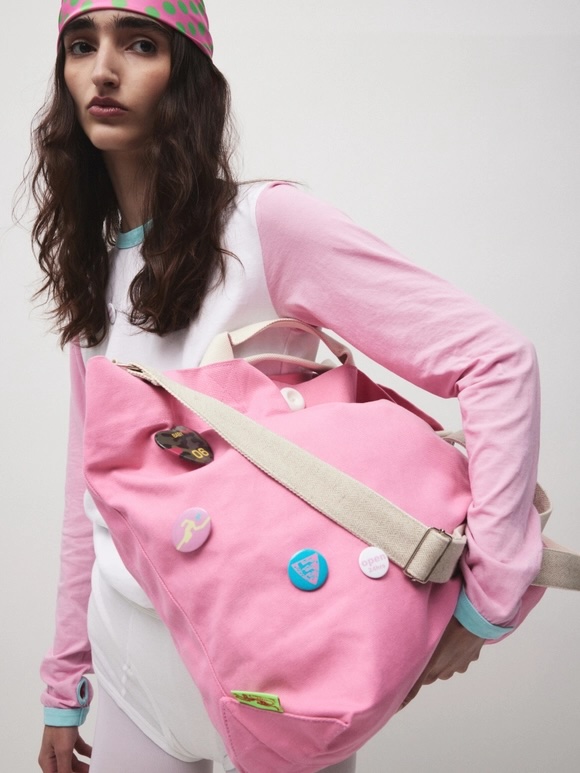
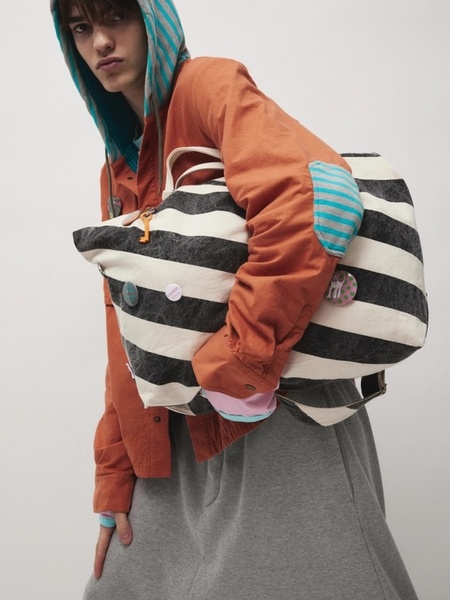
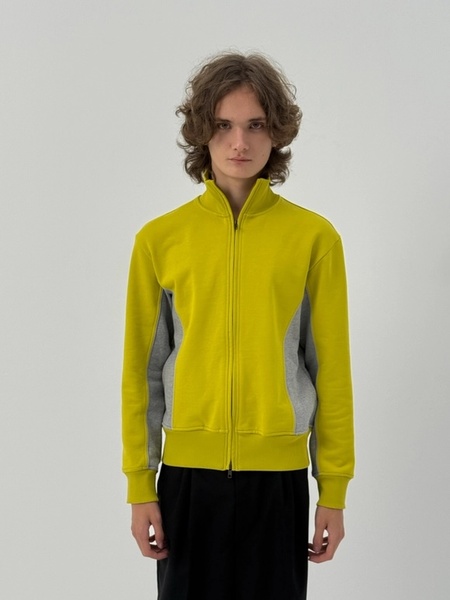
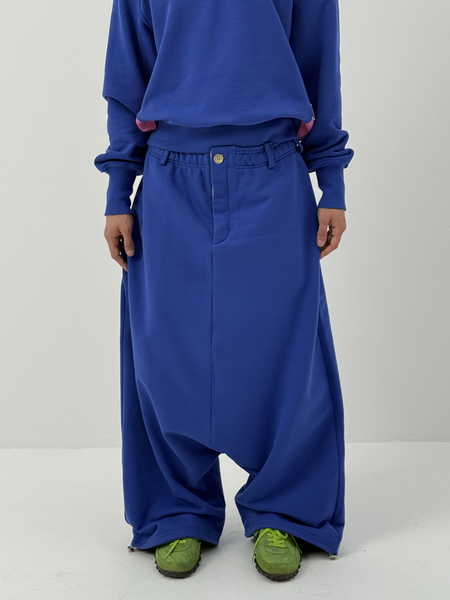
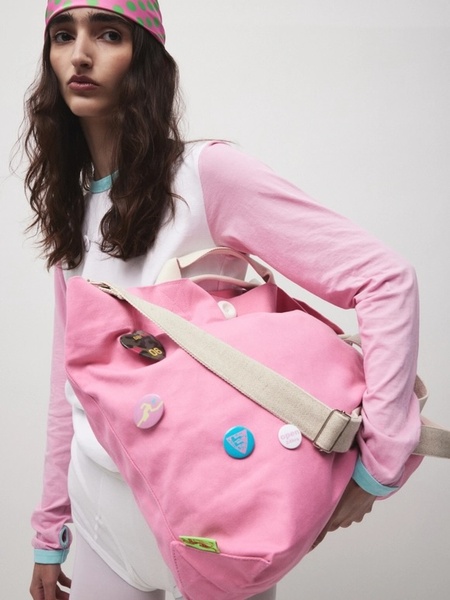
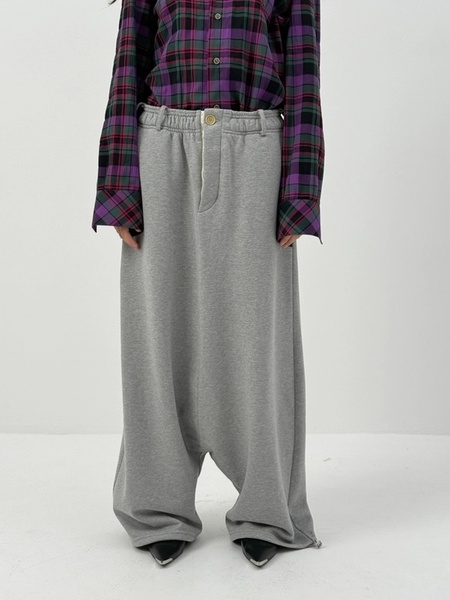
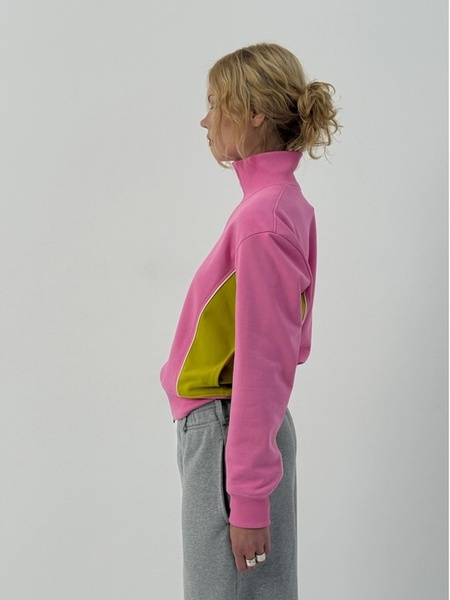
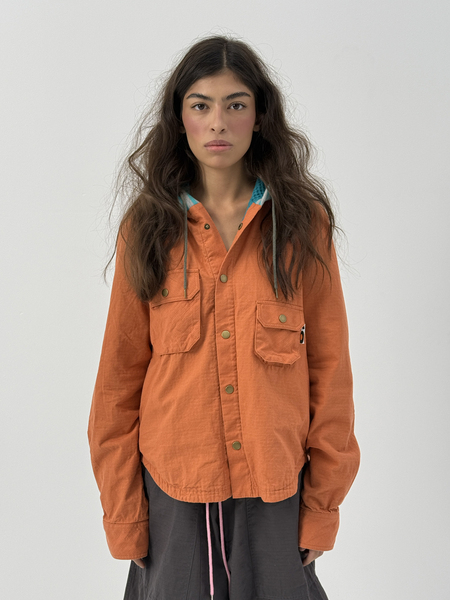
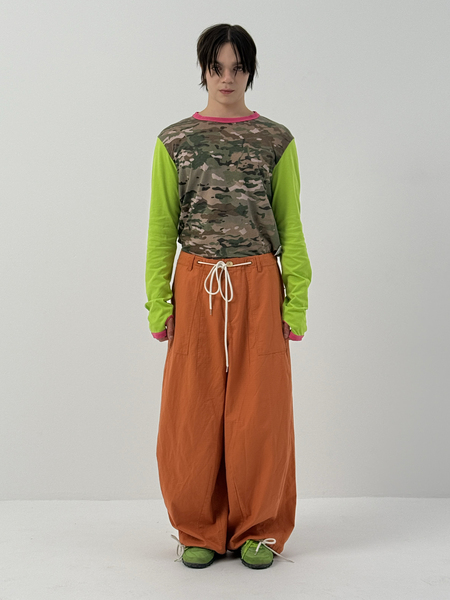
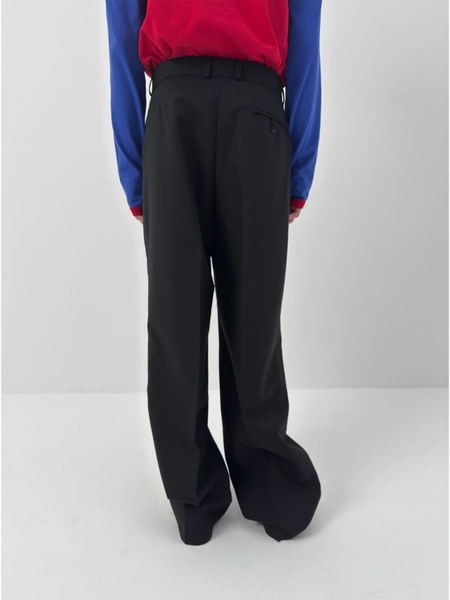
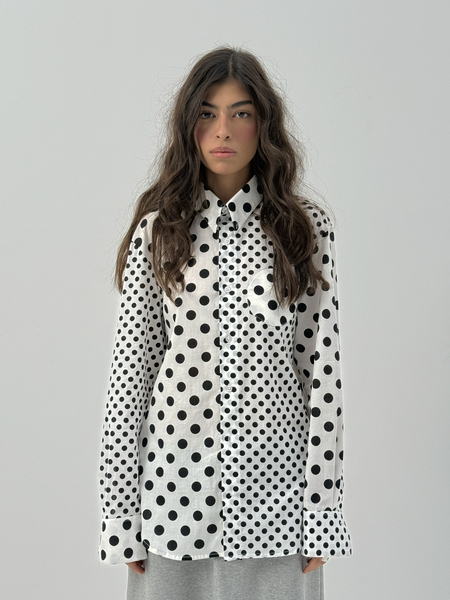
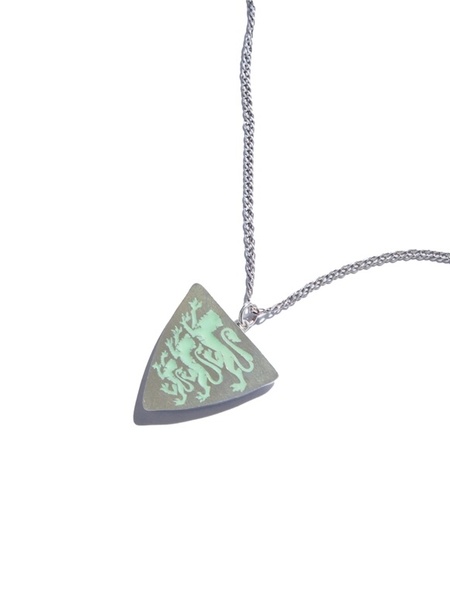
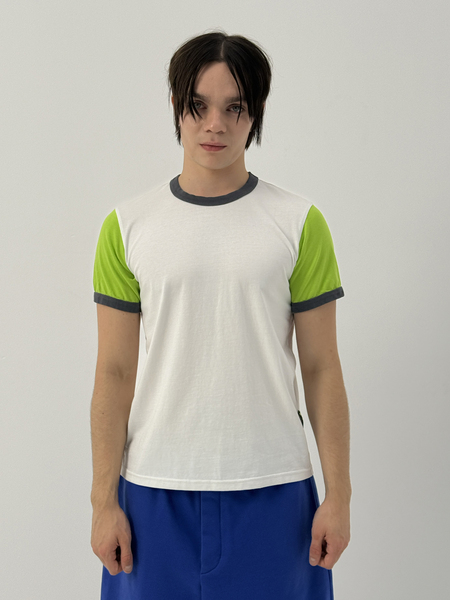
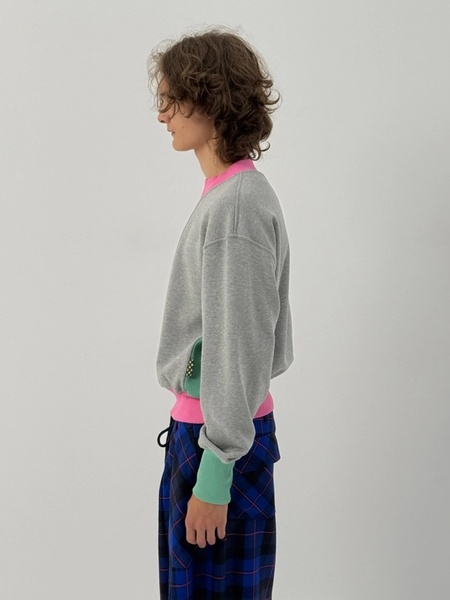
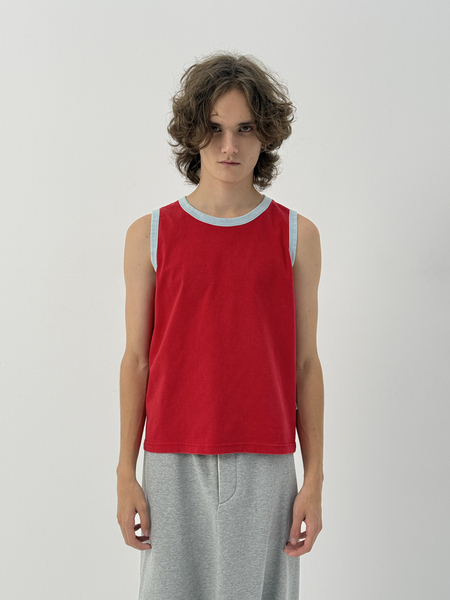
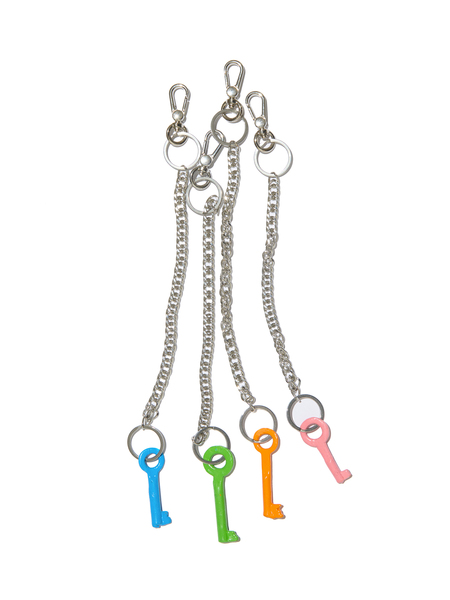
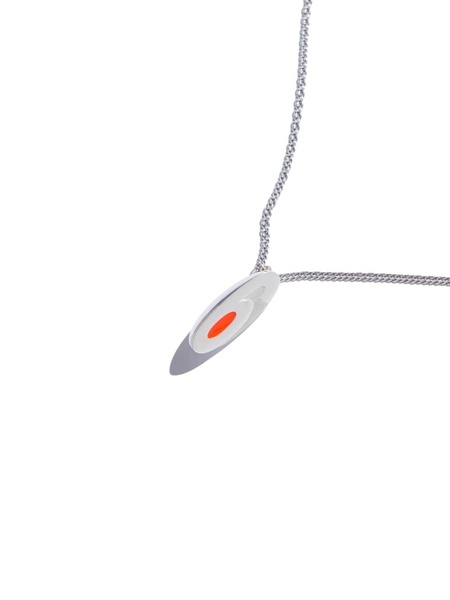
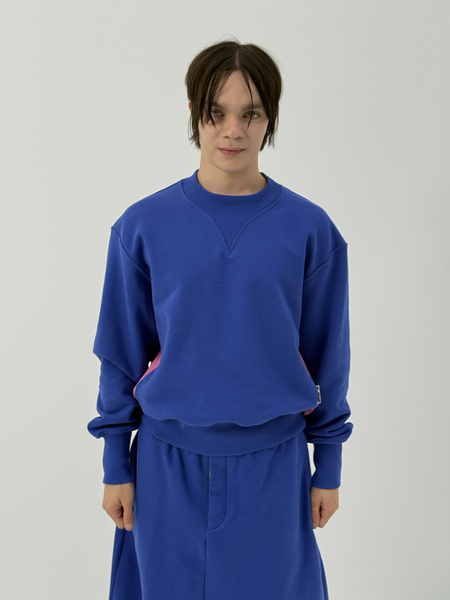
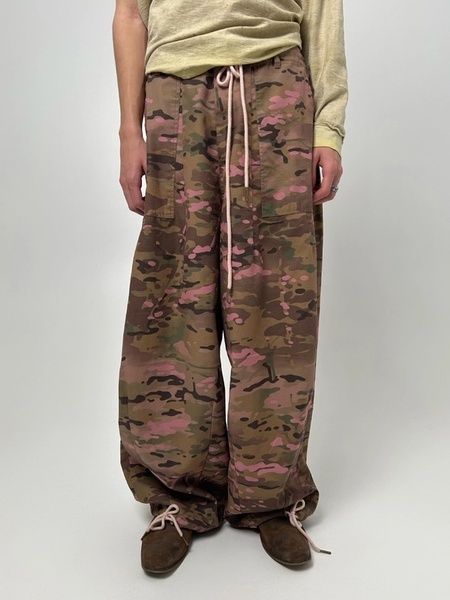
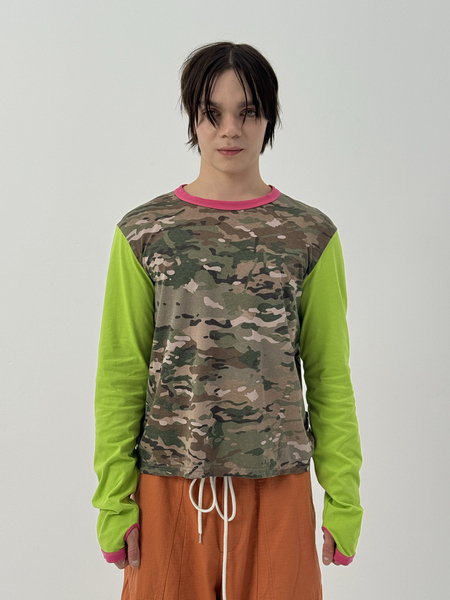
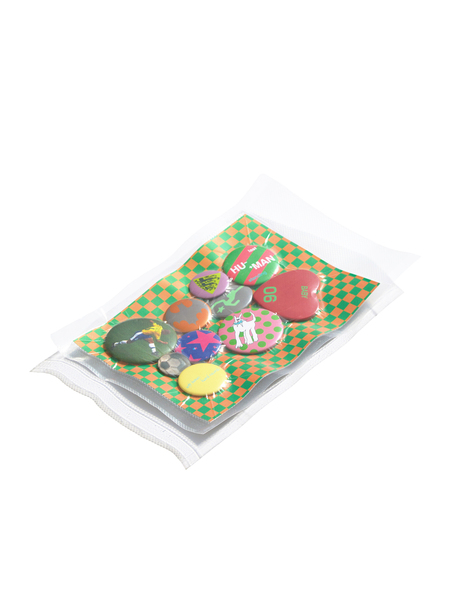
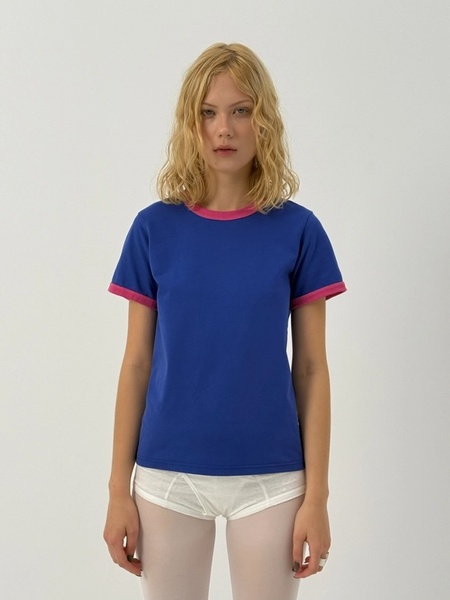
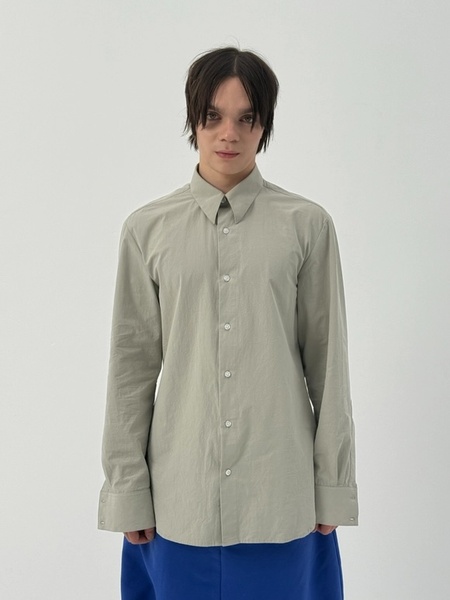
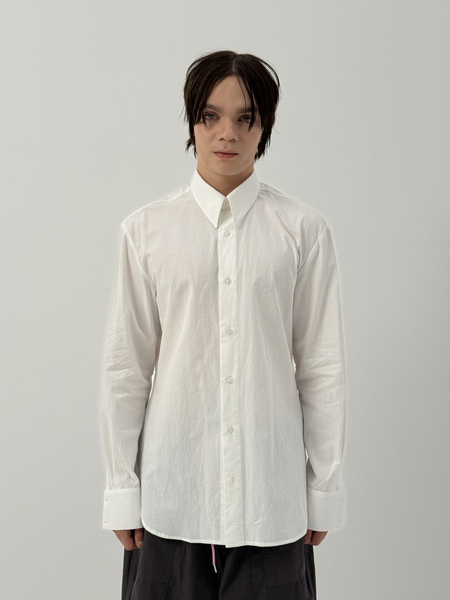
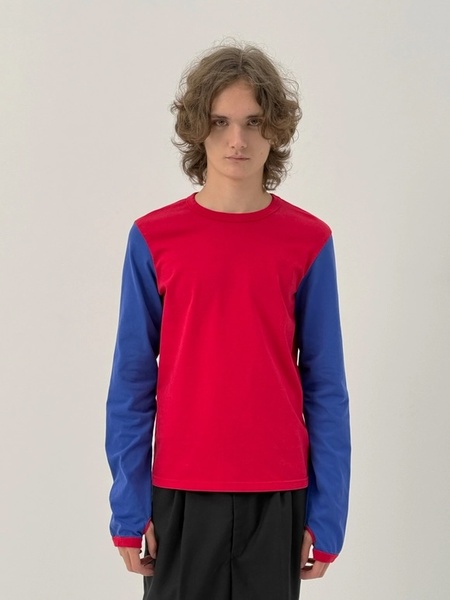
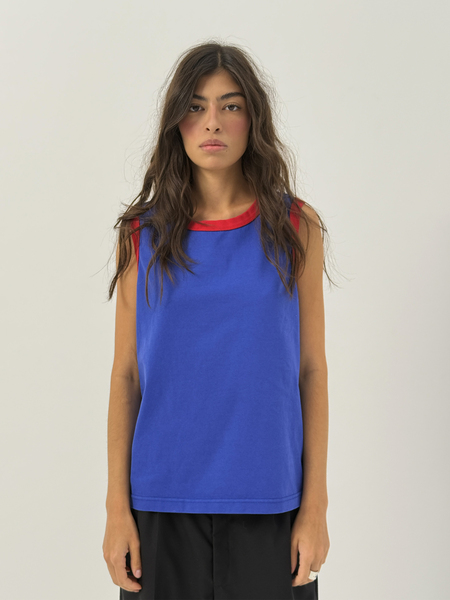
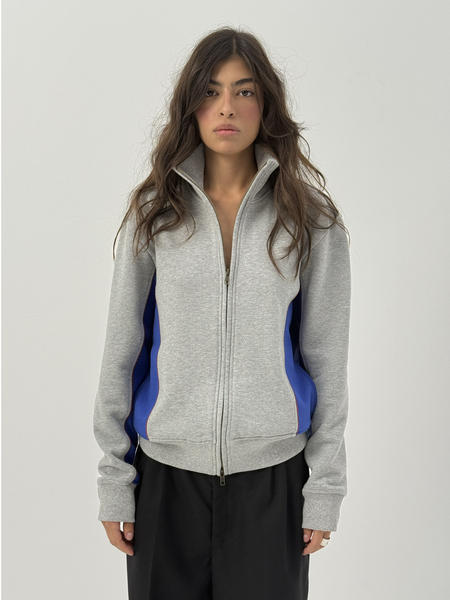
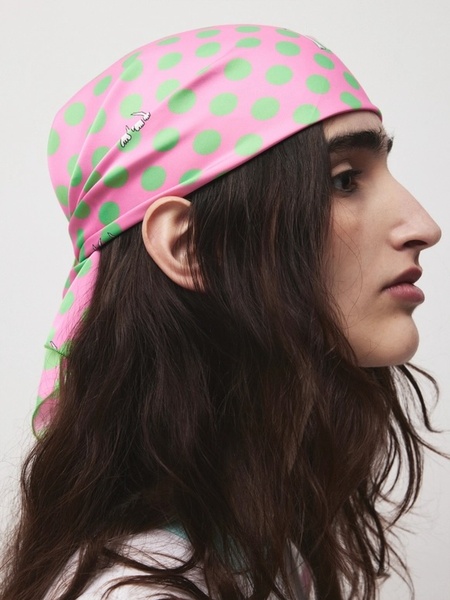
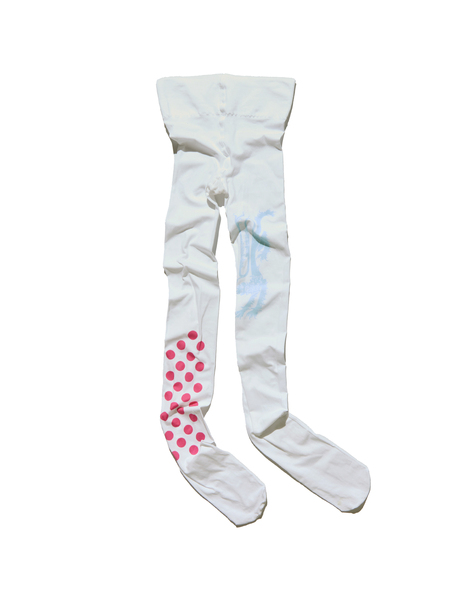
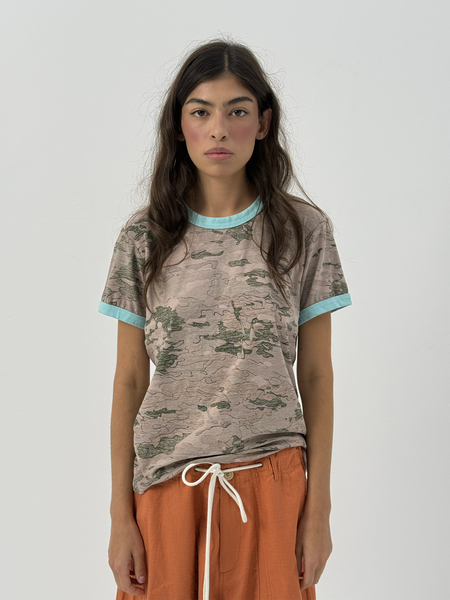
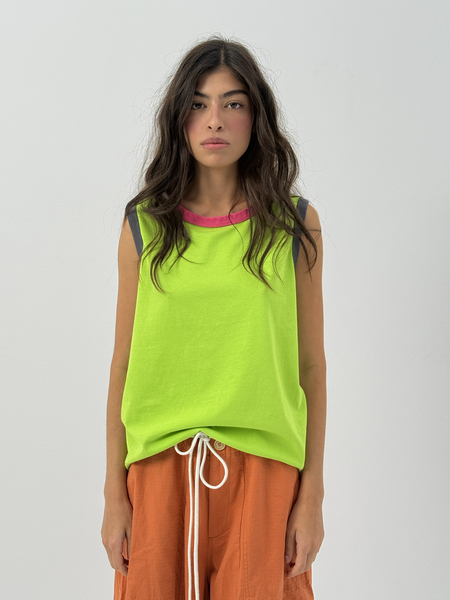
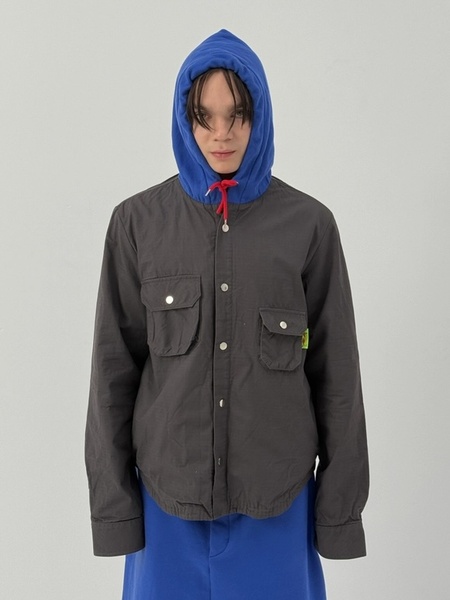
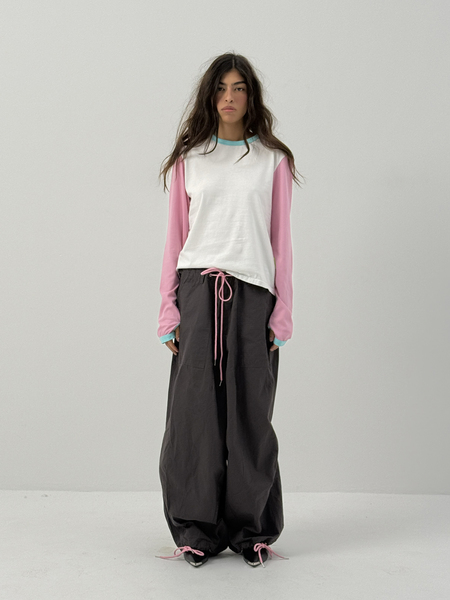
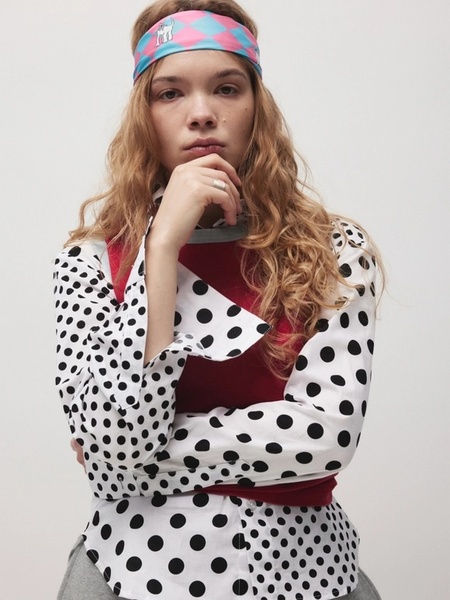
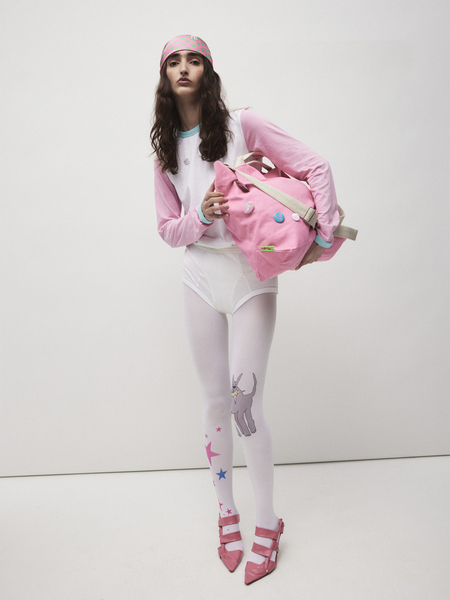
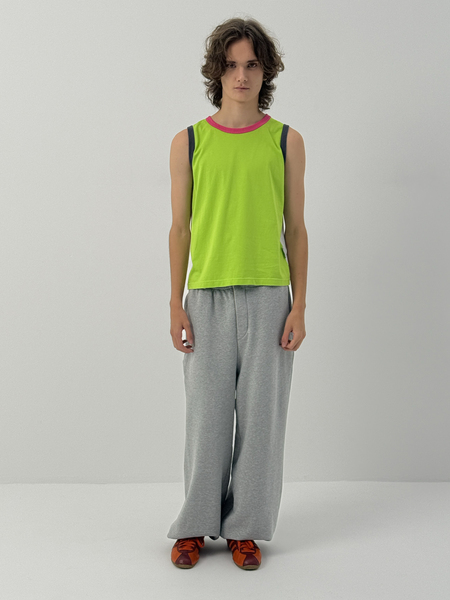
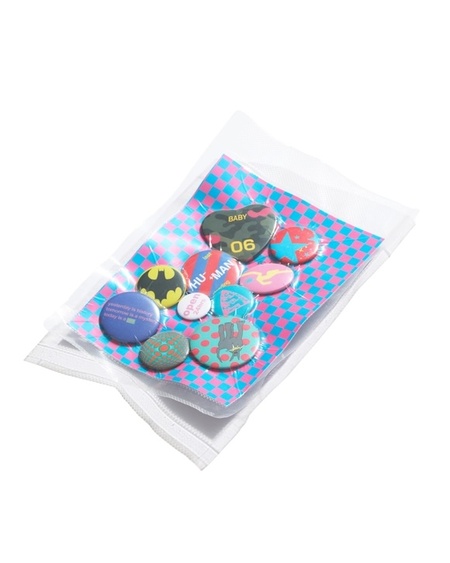
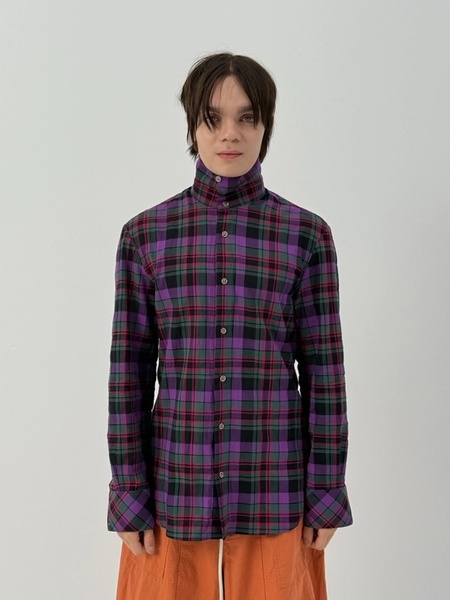
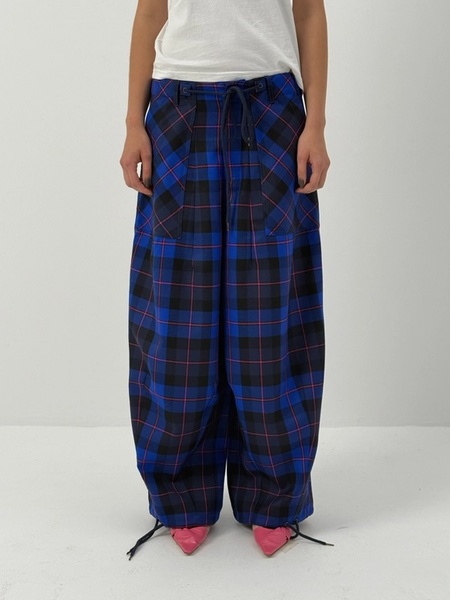
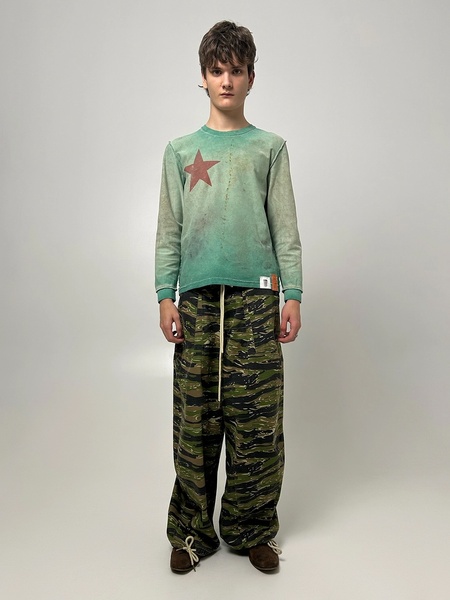
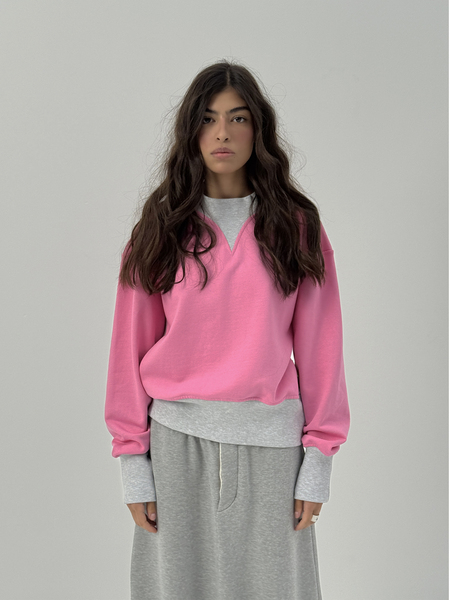
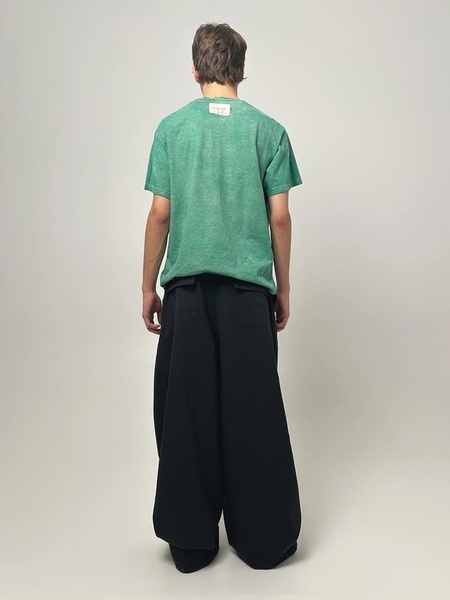
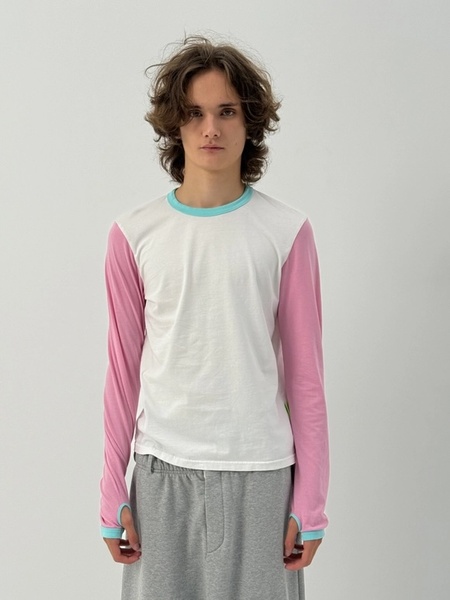
Motto — шестая сезонная коллекция Siniy Vsadnik. Почти все силуэты в ней новые для марки: исключение — только CEO pants и Monks pants. Линия дополнена аксессуарами (серебряные кольца, подвески и ремни с неогеральдическими пряжками) и объемными сумками из плотного выстиранного канваса. Тематически коллекция сочетает «детский взгляд на цвета и вещи» и мотив «спартакиады будущего» [источник].
«Изначально мы задумывали это не как коллекцию, а как небольшой список постоянных предметов вне сезона. Но в процессе работы все начало складываться в историю. Чаще идею обслуживают эстетика и технология, а здесь получилось наоборот. Технология впитала эстетику и мысли. И из этого родились смыслы, чему сопротивляться мы не стали и решили все доработать и выпустить цельный сезон».
Siniy Vsadnik представила новую сезонную коллекцию Fall 2025, включающую в себя уникальные силуэты и аксессуары. Проект включает объемные сумки из плотного выстиранного канваса и аксессуары с неогеральдическими пряжками, созданные в рамках темы «детского взгляда на цвета и вещи».
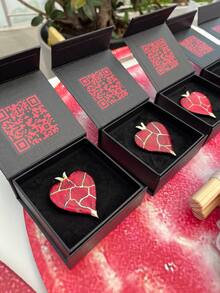
Chervonsky Fashion brand представил коллаборацию с художницей Мариной Лизоркиной в формате капсульной коллекции брошей «свекла». Изделия выполнены из эпоксидной смолы и расписаны вручную с элементами японской традиции кинцуги, подчеркивающей ценность сохраненных следов.
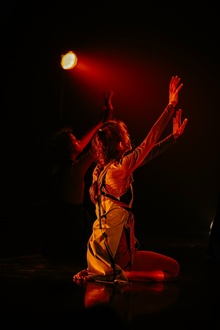
Дизайнер Елена Ермаковишна создала костюмы для танцевального спектакля «Туман» в Инновационном культурном центре Калуги. Проект получил поддержку Президентского фонда культурных инициатив и был представлен в июне 2025 года.
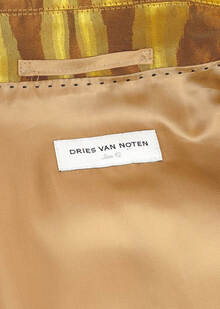
Алексей Яременко подготовил текст о бренде Dries Van Noten, описывающий его уникальный подход к моде и личность дизайнера. Проект включает в себя статьи, исторические данные и особенности производства, подчеркивающие связь между личностью Дриса и философией бренда.
We use cookies to improve the operation of the HSE website and to enhance its usability. More detailed information on the use of cookies can be fou...
Show more
Press space bar to start a drag.
When dragging you can use the arrow keys to move the item around and escape to cancel.
Some screen readers may require you to be in focus mode or to use your pass through key
Press space bar to start a drag.
When dragging you can use the arrow keys to move the item around and escape to cancel.
Some screen readers may require you to be in focus mode or to use your pass through key
Press space bar to start a drag.
When dragging you can use the arrow keys to move the item around and escape to cancel.
Some screen readers may require you to be in focus mode or to use your pass through key
Press space bar to start a drag.
When dragging you can use the arrow keys to move the item around and escape to cancel.
Some screen readers may require you to be in focus mode or to use your pass through key
Press space bar to start a drag.
When dragging you can use the arrow keys to move the item around and escape to cancel.
Some screen readers may require you to be in focus mode or to use your pass through key
Press space bar to start a drag.
When dragging you can use the arrow keys to move the item around and escape to cancel.
Some screen readers may require you to be in focus mode or to use your pass through key
Press space bar to start a drag.
When dragging you can use the arrow keys to move the item around and escape to cancel.
Some screen readers may require you to be in focus mode or to use your pass through key
Press space bar to start a drag.
When dragging you can use the arrow keys to move the item around and escape to cancel.
Some screen readers may require you to be in focus mode or to use your pass through key
Press space bar to start a drag.
When dragging you can use the arrow keys to move the item around and escape to cancel.
Some screen readers may require you to be in focus mode or to use your pass through key
Press space bar to start a drag.
When dragging you can use the arrow keys to move the item around and escape to cancel.
Some screen readers may require you to be in focus mode or to use your pass through key
Press space bar to start a drag.
When dragging you can use the arrow keys to move the item around and escape to cancel.
Some screen readers may require you to be in focus mode or to use your pass through key
Press space bar to start a drag.
When dragging you can use the arrow keys to move the item around and escape to cancel.
Some screen readers may require you to be in focus mode or to use your pass through key
Press space bar to start a drag.
When dragging you can use the arrow keys to move the item around and escape to cancel.
Some screen readers may require you to be in focus mode or to use your pass through key
Press space bar to start a drag.
When dragging you can use the arrow keys to move the item around and escape to cancel.
Some screen readers may require you to be in focus mode or to use your pass through key
Press space bar to start a drag.
When dragging you can use the arrow keys to move the item around and escape to cancel.
Some screen readers may require you to be in focus mode or to use your pass through key
Press space bar to start a drag.
When dragging you can use the arrow keys to move the item around and escape to cancel.
Some screen readers may require you to be in focus mode or to use your pass through key
Press space bar to start a drag.
When dragging you can use the arrow keys to move the item around and escape to cancel.
Some screen readers may require you to be in focus mode or to use your pass through key
Press space bar to start a drag.
When dragging you can use the arrow keys to move the item around and escape to cancel.
Some screen readers may require you to be in focus mode or to use your pass through key
Press space bar to start a drag.
When dragging you can use the arrow keys to move the item around and escape to cancel.
Some screen readers may require you to be in focus mode or to use your pass through key
Press space bar to start a drag.
When dragging you can use the arrow keys to move the item around and escape to cancel.
Some screen readers may require you to be in focus mode or to use your pass through key
Press space bar to start a drag.
When dragging you can use the arrow keys to move the item around and escape to cancel.
Some screen readers may require you to be in focus mode or to use your pass through key
Press space bar to start a drag.
When dragging you can use the arrow keys to move the item around and escape to cancel.
Some screen readers may require you to be in focus mode or to use your pass through key
Press space bar to start a drag.
When dragging you can use the arrow keys to move the item around and escape to cancel.
Some screen readers may require you to be in focus mode or to use your pass through key
Press space bar to start a drag.
When dragging you can use the arrow keys to move the item around and escape to cancel.
Some screen readers may require you to be in focus mode or to use your pass through key