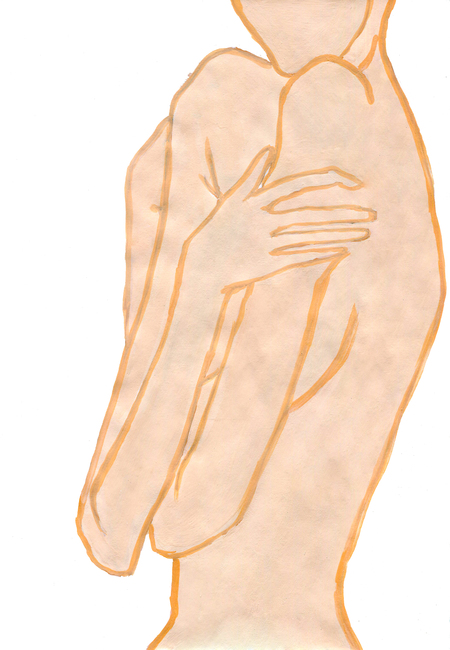
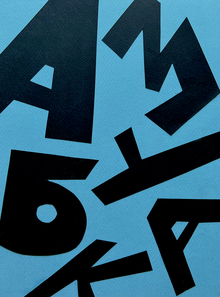
«Бедные-несчастные» рассказывает о природной силе женщины, о праве на собственное тело, о любопытстве, о том, как важно прислушиваться к своим желаниям и не разрешать ни одному мужчине их подавить.
Далия Зайнутдинова подготовила исследование о цвете и его воздействии на восприятие и эмоции. Проект включает анализ цветовой выразительности, контрастов и гармонии в сочетаниях.
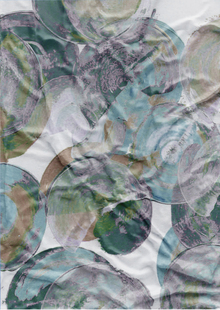
Софья Ульянова создала проект «Принт», вдохновленный эстетикой героинового шика 90-х годов. Основным объектом проекта стала смятая жестяная банка, символизирующая тусовку и нездоровый образ жизни.
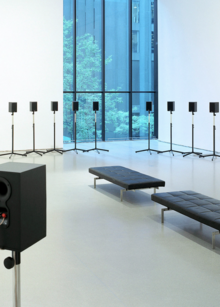
Никита Каратайский написал эссе о музеях звука, рассматривающих их роль в сохранении и популяризации звукового наследия. Проект включает анализ уникальных музеев, таких как Музей Звука в Санкт-Петербурге и Haus Der Musik в Вене, с акцентом на их различающиеся подходы к звуку и музыке.
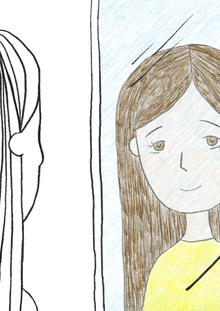
Евгения Борисова написала текст о двойняшках и их отношениях в раннем возрасте и во взрослом возрасте. Проект включает в себя концепцию, описывающую, как одна из двойняшек может стремиться быть похожей на сестру, теряя при этом свою индивидуальность.
Ольга Десятникова создала интерактивную азбуку с элементами поп-ап техники и головоломками для изучения алфавита. Каждая буква сопровождается неочевидными словами и бумажными фигурами, добавляя образовательный и развлекательный аспект.
We use cookies to improve the operation of the HSE website and to enhance its usability. More detailed information on the use of cookies can be fou...
Show more
Press space bar to start a drag.
When dragging you can use the arrow keys to move the item around and escape to cancel.
Some screen readers may require you to be in focus mode or to use your pass through key
Press space bar to start a drag.
When dragging you can use the arrow keys to move the item around and escape to cancel.
Some screen readers may require you to be in focus mode or to use your pass through key
Press space bar to start a drag.
When dragging you can use the arrow keys to move the item around and escape to cancel.
Some screen readers may require you to be in focus mode or to use your pass through key
Press space bar to start a drag.
When dragging you can use the arrow keys to move the item around and escape to cancel.
Some screen readers may require you to be in focus mode or to use your pass through key
Press space bar to start a drag.
When dragging you can use the arrow keys to move the item around and escape to cancel.
Some screen readers may require you to be in focus mode or to use your pass through key
Press space bar to start a drag.
When dragging you can use the arrow keys to move the item around and escape to cancel.
Some screen readers may require you to be in focus mode or to use your pass through key
Press space bar to start a drag.
When dragging you can use the arrow keys to move the item around and escape to cancel.
Some screen readers may require you to be in focus mode or to use your pass through key
Press space bar to start a drag.
When dragging you can use the arrow keys to move the item around and escape to cancel.
Some screen readers may require you to be in focus mode or to use your pass through key
Press space bar to start a drag.
When dragging you can use the arrow keys to move the item around and escape to cancel.
Some screen readers may require you to be in focus mode or to use your pass through key
Press space bar to start a drag.
When dragging you can use the arrow keys to move the item around and escape to cancel.
Some screen readers may require you to be in focus mode or to use your pass through key
Press space bar to start a drag.
When dragging you can use the arrow keys to move the item around and escape to cancel.
Some screen readers may require you to be in focus mode or to use your pass through key
Press space bar to start a drag.
When dragging you can use the arrow keys to move the item around and escape to cancel.
Some screen readers may require you to be in focus mode or to use your pass through key
Press space bar to start a drag.
When dragging you can use the arrow keys to move the item around and escape to cancel.
Some screen readers may require you to be in focus mode or to use your pass through key
Press space bar to start a drag.
When dragging you can use the arrow keys to move the item around and escape to cancel.
Some screen readers may require you to be in focus mode or to use your pass through key
Press space bar to start a drag.
When dragging you can use the arrow keys to move the item around and escape to cancel.
Some screen readers may require you to be in focus mode or to use your pass through key
Press space bar to start a drag.
When dragging you can use the arrow keys to move the item around and escape to cancel.
Some screen readers may require you to be in focus mode or to use your pass through key
Press space bar to start a drag.
When dragging you can use the arrow keys to move the item around and escape to cancel.
Some screen readers may require you to be in focus mode or to use your pass through key
Press space bar to start a drag.
When dragging you can use the arrow keys to move the item around and escape to cancel.
Some screen readers may require you to be in focus mode or to use your pass through key